


This resource portal is for active Designfusion customers.

Dashboard Home
Solid Edge Quick Tip – How to Determine How Many Components Are in an Assembly and Other Statistics
Solid Edge provides the Assembly Statistics command which can be found on the Inspect tab, in the Evaluate group.
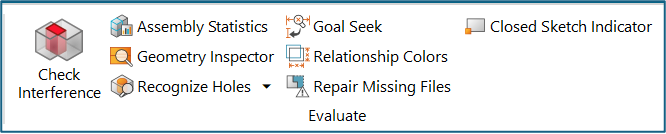
This command displays information about the parent assembly, such as:
- Assembly file name
- Total number of parts
- Number of unique parts
- Total number of subassemblies
- Number of unique subassemblies
The unique parts and subassemblies are also listed by document name in a table that you can sort by ascending or descending order. Use shortcut commands to control which columns are displayed, search for documents, and sort the information.
Each document in the list shows the following:
- File name and location
- Type
- Load State
- File Size
- Count
- Simplification
- Number of Bodies
The following image is an example of the Assembly Statistics table:
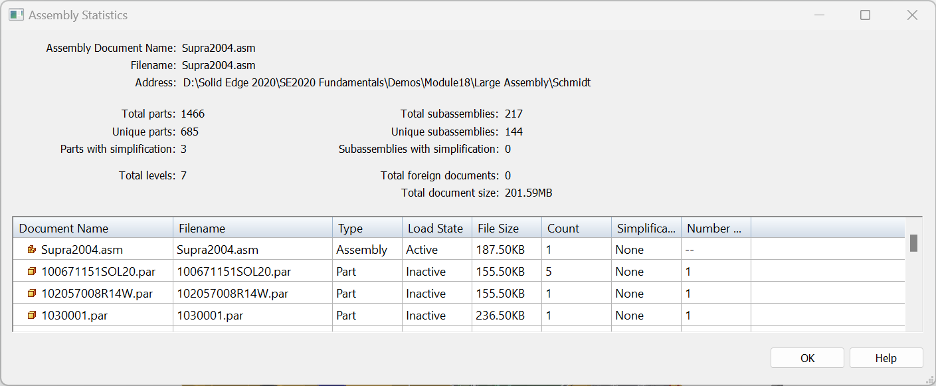
You can copy information from the Assembly Statistics dialog box and paste it into another application, such as an Excel spreadsheet.
November 17, 2025