


This resource portal is for active Designfusion customers.

Dashboard Home
NX Quick Tip - How to Resolve Missing Curves in Views Containing Intersecting Components
When working in NX Drafting, views containing intersecting components may display incomplete or missing intersection curves, especially in manually oriented views. The following procedure explains how to enable the appropriate preferences to correctly display these intersection curves.
Follow these steps to correct missing or incomplete intersection curves in your drawing views:
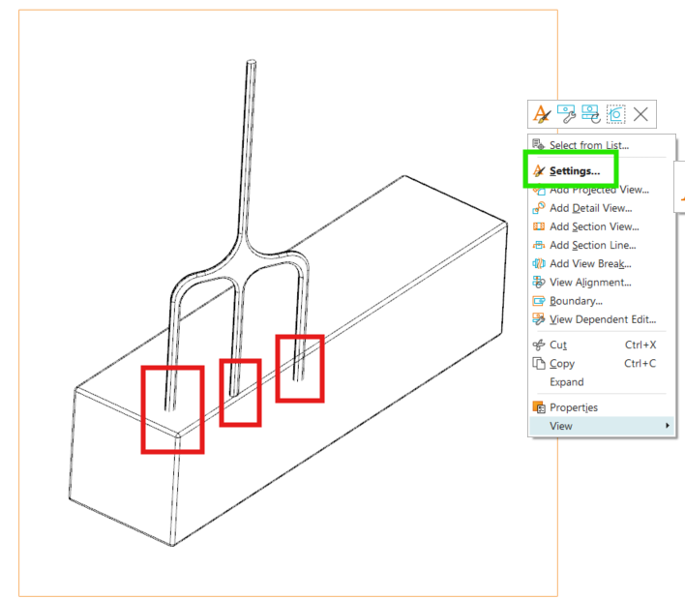
1. Right-click the affected view and select Settings: (Notice the red areas are not displaying correctly in this example)
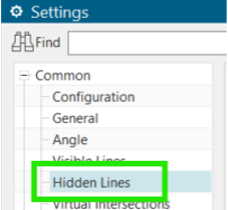
2. Navigate to Common > Hidden Lines
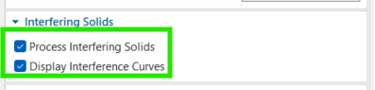
3. Locate the Interfering Solids group and turn ON both Process Interfering Solids and Display Interference Curves preferences.
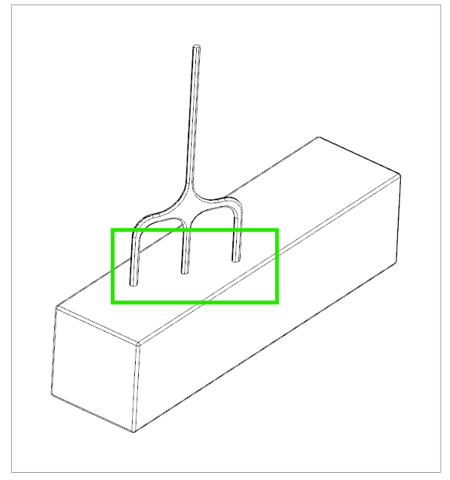
4. Click OK and verify the result:
October 22, 2026